

Overview
Series allow users to configure numbering templates for any document that requires unique sequential identifiers (such as invoices). Each series defines how numbers are formatted, including prefixes, suffixes, and zero-padding rules. For example, a series configured with the options on the left produces identifiers like those in the right box:Create a new series
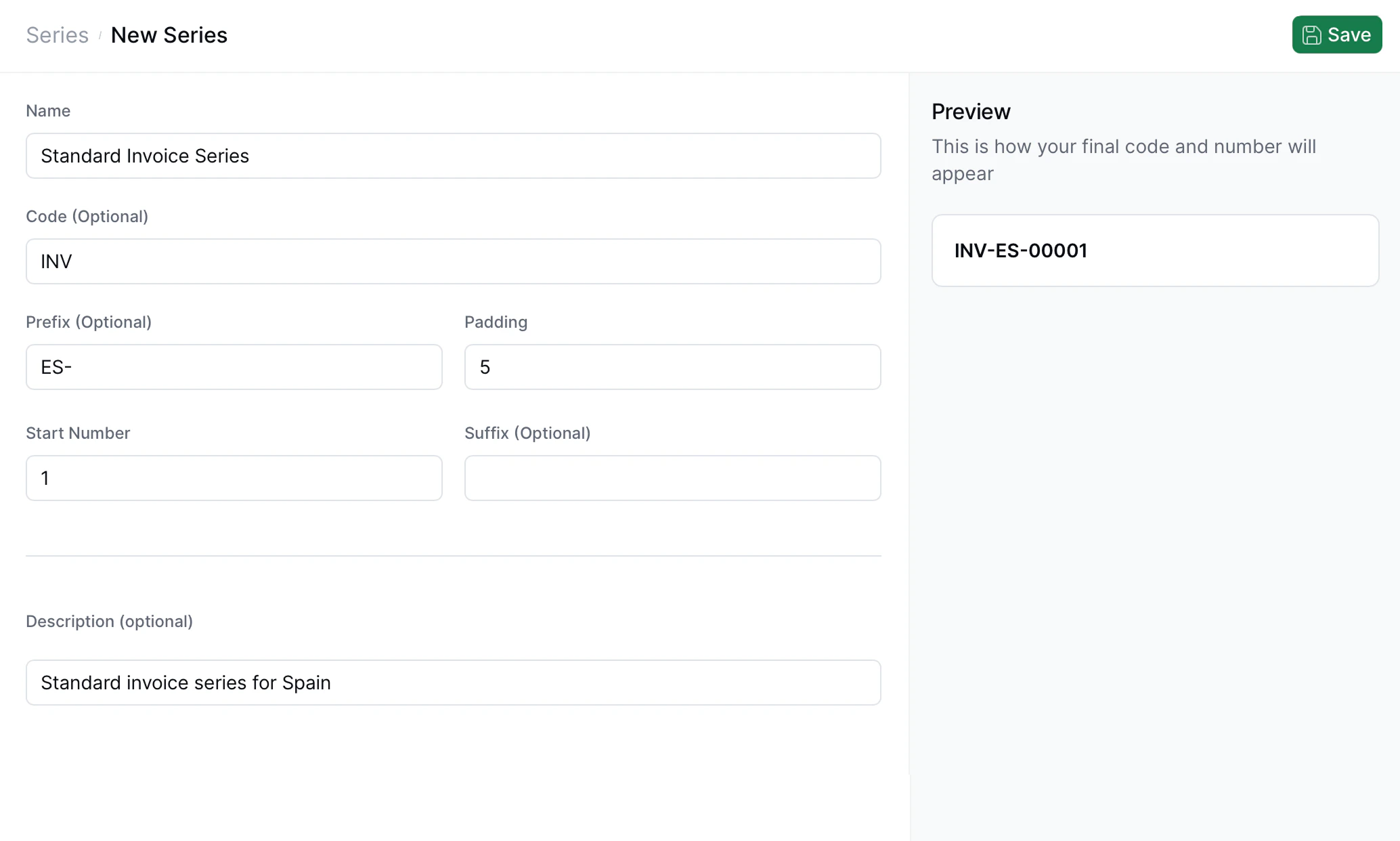
Preview panel
On the right side of the form, the UI displays a live preview of the resulting code based on the current field values. For example:Using your series
You will be able to use the series you’ve created from the API or through the “Add sequential code” step in your workflow. This will ensure your invoice numbers remain numbered correctly, as many regimes require not only unique invoice identifiers but also sequential numbering.‘Add sequential code’ workflow step
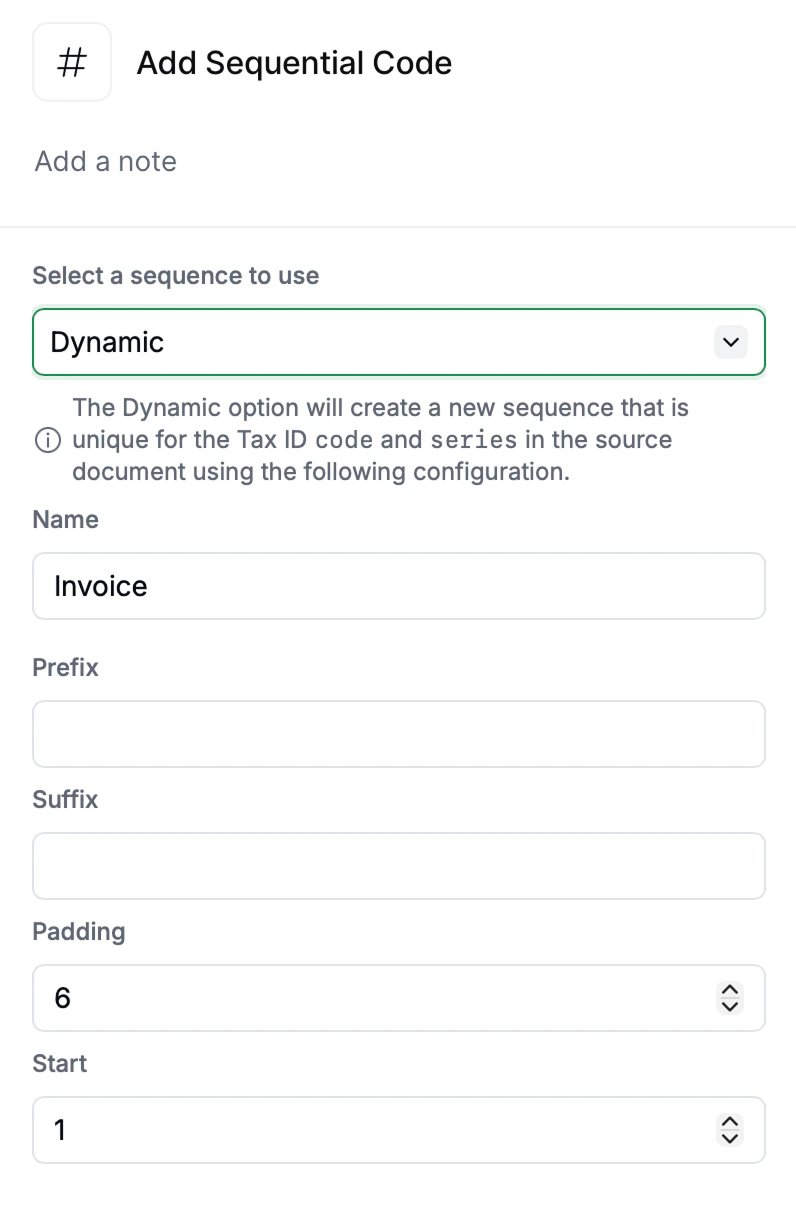
series defined.
Tips
- Use prefixes for country or business unit codes (e.g.,
ES-,FR-,US-). - Adjust padding to maintain consistent visual width across codes, and make sure you choose a length adequate for your invoicing volume.
- Start Number will usually be
1, unless you are continuing a series. - Code and Description fields are for human readability and internal organization.
Related resources
FAQ
Job fails with 'series required when code_id not present'
Job fails with 'series required when code_id not present'
This happens because you have not defined a
series in your document. This is used to determine which dynamic sequence to assign in the “Add sequential code” workflow step.Should I use a different series for each document type?
Should I use a different series for each document type?
Many jurisdictions require separate numbering series for different document types; e.g., one for standard invoices and another for credit notes. Even when it’s not mandatory, keeping distinct series is simply good practice and makes administration easier, so we recommend this approach.